> ## Documentation Index
> Fetch the complete documentation index at: https://docs.omnifact.ai/llms.txt
> Use this file to discover all available pages before exploring further.
# Selecting an AI Model
> Choose the best AI model for your specific task to get the most accurate and helpful results.
Omnifact allows you to switch between different AI models to power your conversations. While the default model is capable of handling most tasks, you may find that certain models excel in specific areas—such as creative writing, coding, or logical reasoning.
Choose the right AI model for your task, from flagship reasoning to fast efficient options.
The available models are configured by your Team Administrator in [Model Management](/en/platform/team-administration/models). If you don't see a specific model, it may not be enabled for your organization. Your administrator can also restrict availability to **EU-hosted models only** to ensure data residency compliance.
## How to Switch Models
You can select the AI model before you send a message or at any point during a conversation.
At the top of the chat interface, look for the **Model Selector** dropdown menu. It displays the name of the currently active model (e.g., "GPT-4o" or "Claude 3.5 Sonnet").
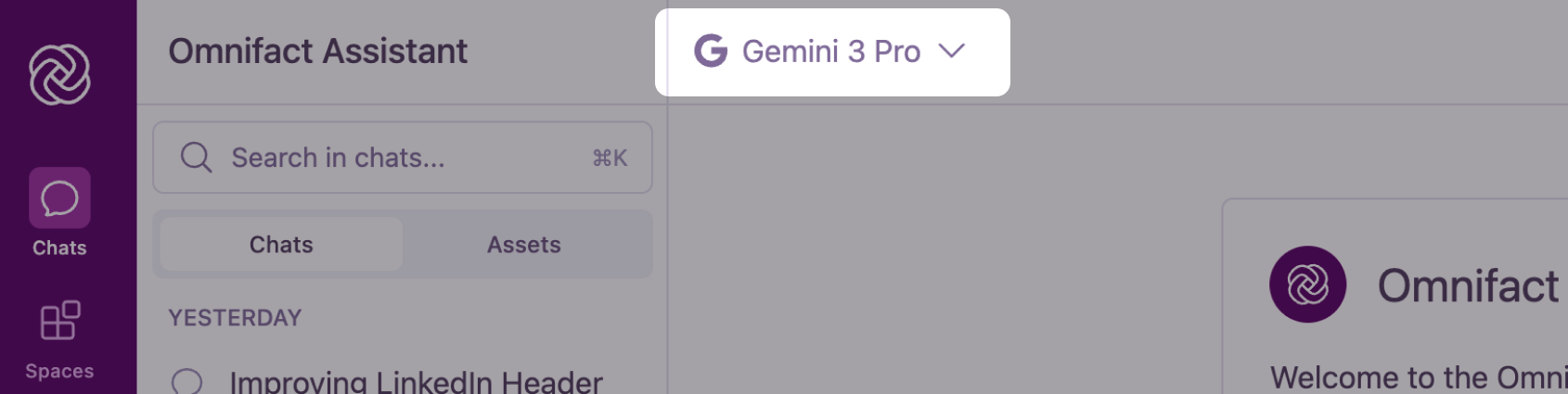 Click the dropdown to reveal the list of available models. Models are grouped by their provider (e.g., OpenAI, Anthropic, Google, Mistral AI). You can see the model name, provider logo, and hosting region flag.
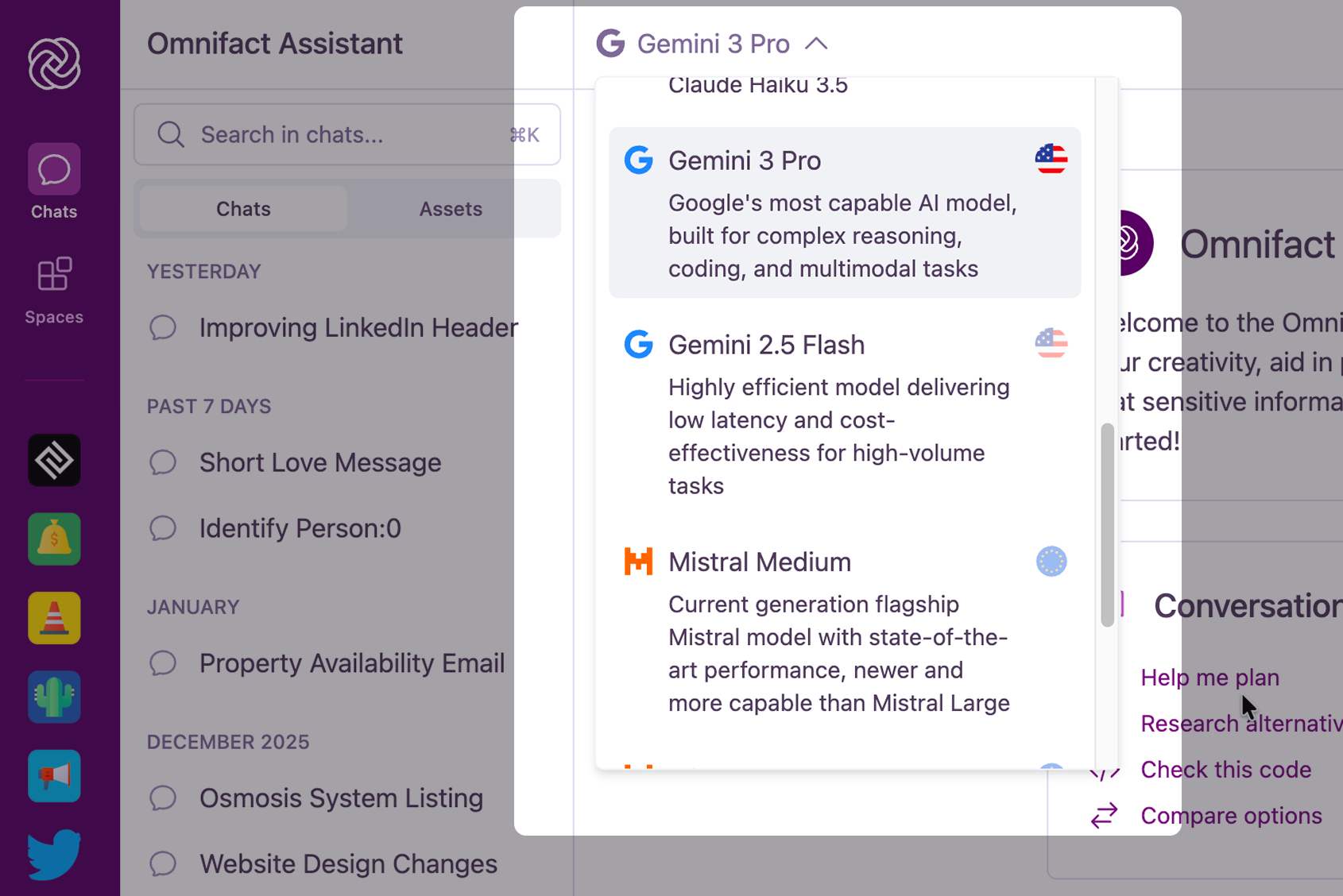 Select the model you wish to use. The chat interface will update to reflect your choice, and all subsequent messages in that conversation will be processed by the selected model.
## Why Switch Models?
Different AI models are trained differently and have unique strengths. Switching models can help you optimize your results based on what you are trying to achieve.
| Goal | Recommended Approach |
| :--------------------- | :------------------------------------------------------------------------------------------------------------------------------------------------------------- |
| **Complex Reasoning** | Models like **GPT-4o** or **Claude 3.5 Sonnet** are often best for complex logical tasks, math, or multi-step problem solving. |
| **Creative Writing** | **Claude** models are frequently praised for their natural, human-like writing style and nuance. |
| **Coding & Technical** | **GPT-4o** and **Claude 3.5 Sonnet** are top-tier choices for generating, debugging, and explaining code. |
| **Speed** | If you need a quick answer and don't require deep reasoning, lighter models (often labeled "Flash", "mini", "micro", or "Haiku") can provide faster responses. |
For a comprehensive guide on which model to choose for specific tasks, see the [Model Guide](/en/guides/mastering-chat/models/model-guide).
**Experiment!** If you aren't satisfied with a response, try switching to a different model and clicking **Regenerate** on the last message to see how another AI approaches the same prompt.
Select the model you wish to use. The chat interface will update to reflect your choice, and all subsequent messages in that conversation will be processed by the selected model.
## Why Switch Models?
Different AI models are trained differently and have unique strengths. Switching models can help you optimize your results based on what you are trying to achieve.
| Goal | Recommended Approach |
| :--------------------- | :------------------------------------------------------------------------------------------------------------------------------------------------------------- |
| **Complex Reasoning** | Models like **GPT-4o** or **Claude 3.5 Sonnet** are often best for complex logical tasks, math, or multi-step problem solving. |
| **Creative Writing** | **Claude** models are frequently praised for their natural, human-like writing style and nuance. |
| **Coding & Technical** | **GPT-4o** and **Claude 3.5 Sonnet** are top-tier choices for generating, debugging, and explaining code. |
| **Speed** | If you need a quick answer and don't require deep reasoning, lighter models (often labeled "Flash", "mini", "micro", or "Haiku") can provide faster responses. |
For a comprehensive guide on which model to choose for specific tasks, see the [Model Guide](/en/guides/mastering-chat/models/model-guide).
**Experiment!** If you aren't satisfied with a response, try switching to a different model and clicking **Regenerate** on the last message to see how another AI approaches the same prompt.