> ## Documentation Index
> Fetch the complete documentation index at: https://docs.omnifact.ai/llms.txt
> Use this file to discover all available pages before exploring further.
# Company Profile
> Manage your team’s public-facing profile, including the logo, name, and description.
## Brand Your Workspace
The **Company Profile** is more than just a settings page—it's where you define your organization's identity for the AI. By providing clear details here, you ensure every AI interaction is grounded in your specific business context.
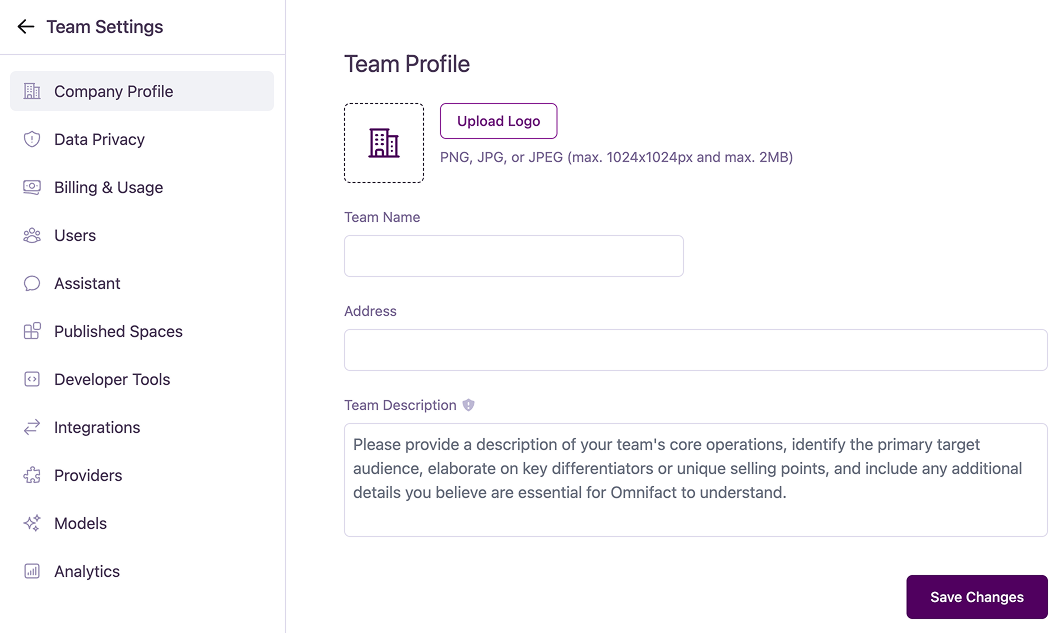 ### Configuration Options
#### Company Logo
Upload a company logo to be displayed within the platform.
* **Formats:** PNG, JPG, or JPEG
* **Maximum size:** 2MB
* **Maximum dimensions:** 1024x1024 pixels
#### Team Name
Set the name for your team. This name is displayed throughout the platform to identify your organization's workspace.
#### Address (Optional)
You can provide a physical address for your company. Including your address is useful because the AI can automatically use this information in communications or generated content—similar to how your name, phone number, or email address can be injected into messages.
#### Team Description
Add a description of your team's core operations to provide essential context for Omnifact. **This is crucial for helping the AI understand your business.**
The description should include:
* Your team's core operations
* The primary target audience
* Key differentiators or unique selling points
* Any other details essential for the AI to understand your business context
#### Saving Changes
Click the **"Save Changes"** button to apply your updates after making any changes.
### Configuration Options
#### Company Logo
Upload a company logo to be displayed within the platform.
* **Formats:** PNG, JPG, or JPEG
* **Maximum size:** 2MB
* **Maximum dimensions:** 1024x1024 pixels
#### Team Name
Set the name for your team. This name is displayed throughout the platform to identify your organization's workspace.
#### Address (Optional)
You can provide a physical address for your company. Including your address is useful because the AI can automatically use this information in communications or generated content—similar to how your name, phone number, or email address can be injected into messages.
#### Team Description
Add a description of your team's core operations to provide essential context for Omnifact. **This is crucial for helping the AI understand your business.**
The description should include:
* Your team's core operations
* The primary target audience
* Key differentiators or unique selling points
* Any other details essential for the AI to understand your business context
#### Saving Changes
Click the **"Save Changes"** button to apply your updates after making any changes.