

Connect Your Cloud Storage
The Integrations section gives you centralized control over which cloud storage services your team can connect to Omnifact. Enable or disable integrations for Google Drive, OneDrive, OneDrive Business, and SharePoint to align with your organization’s data access policies.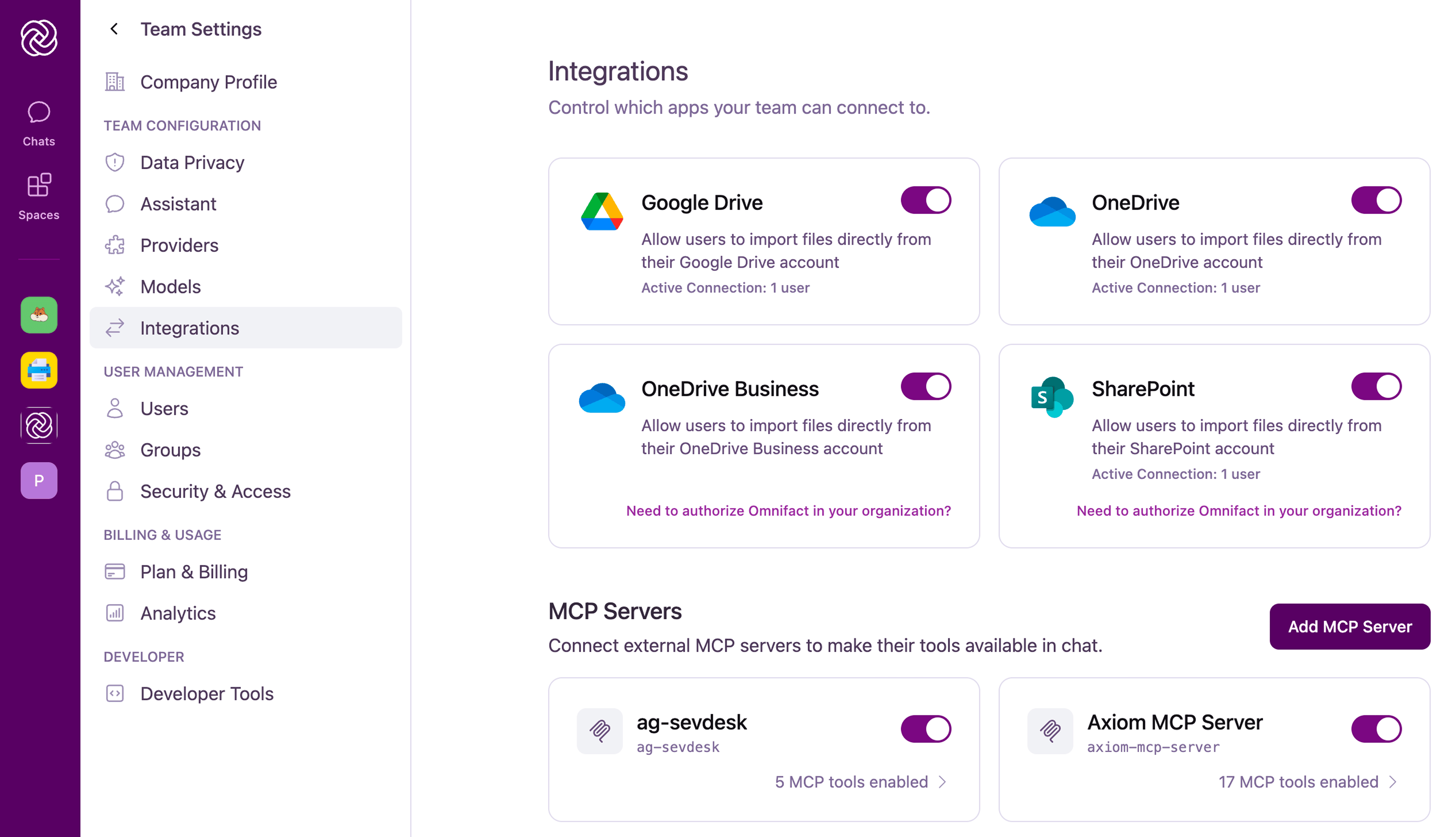
How it Works
Each integration is displayed as a card showing:- Service Name and Icon: Visual identification of the cloud storage service
- Description: What the integration enables for your team
- Active Connections: The number of users currently connected to this integration
- Toggle Switch: Enable or disable the integration for your entire team
Available Integrations
Omnifact supports the following cloud storage integrations:Google Drive
Connect and import files directly from users’ Google Drive accounts. Perfect for teams using Google Workspace.
SharePoint
Access files from your organization’s SharePoint sites. Requires Microsoft admin authorization for enterprise accounts.
OneDrive
Import files from users’ personal OneDrive accounts.
OneDrive Business
Import files from users’ work or school OneDrive accounts. Requires Microsoft admin authorization for enterprise accounts.
Managing Integrations
You can enable or disable any integration at any time using the toggle switch on each card. Changes take effect immediately:- Enabling an integration: Makes the service available for team members to connect. Users can then link their accounts and start importing files.
- Disabling an integration: Hides the integration from all users including those who have already connected their accounts.
Connected Sources
Once integrations are enabled, Space Admins can connect cloud storage folders directly to their Spaces. Files in connected folders are automatically indexed and kept up to date — no manual uploading required. To learn how to connect a source to a Space, see Connected Sources.Microsoft Admin Authorization
For SharePoint, OneDrive, and OneDrive Business integrations, your organization may require admin consent before users can connect their accounts. This is a Microsoft security policy that ensures only approved applications can access your corporate data.If you see a message asking for admin authorization, this is not an error. It’s a security policy enabled by your organization.
Model Context Protocol (MCP) Servers
Beyond cloud storage, you can connect external Model Context Protocol (MCP) servers to Omnifact. Connecting MCP servers allows autonomous chat agents to query internal databases, look up records in CRM systems, and execute actions under strict IT governance.Configure MCP Servers
Learn how to add remote MCP servers, configure per-tool execution policies (Always, Approval, Disable), and manage in-chat approvals.