Secure Your Organization
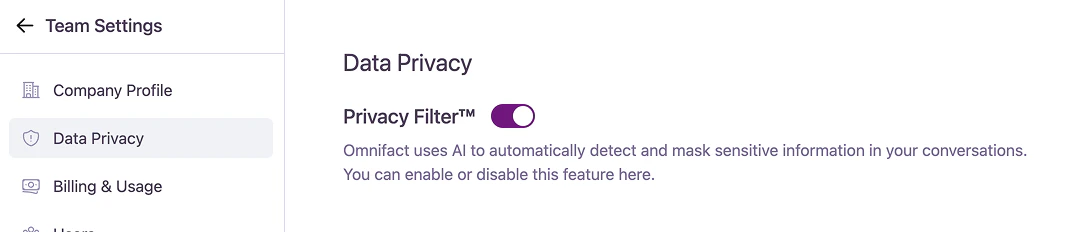
The Data Privacy section gives you centralized control over the Omnifact Privacy Filter™. From here, you can enforce security standards across your entire workspace.
The Omnifact Privacy Filter™ is a core component of Omnifact’s security model. When enabled, it automatically detects and masks sensitive information (such as names, email addresses, and other personally identifiable information) before sending data to an AI model for processing.
Privacy Filter Control
By default, the Privacy Filter is enabled for all teams to ensure maximum data protection.
- Enabled (Recommended): The AI automatically detects and masks sensitive information in user conversations before it is sent to external AI models.
- Disabled: The automatic masking of sensitive information is turned off for all users in the team.
Disabling the Privacy Filter is a significant security decision.Turning this feature off means that any sensitive information entered by your users in their conversations could be directly exposed to third-party AI models. This action increases the risk of unintentional data leaks and may have implications for your organization’s compliance with data privacy regulations.We strongly recommend keeping the Privacy Filter enabled at all times unless you have a specific, authorized reason to disable it.
- External MCP Servers: Tool calls to external MCP Servers communicate directly with your configured endpoints. Tool arguments and returned results bypass the Privacy Filter. Only connect trusted server endpoints.
- Code Execution: The Python sandbox operates with internet egress enabled to support package installations and public data retrieval. Code execution permissions are governed per group in Group Management.
- Images and Audio Attachments: Media files bypass the Privacy Filter and are sent directly to multimodal models without masking.
For a deep dive into how masking and re-insertion works, see our guide on How the Privacy Filter Works.