

Build with Omnifact
Unlock the power of the platform for your own applications. The Developer Tools section lets you generate API keys to integrate Omnifact’s secure AI capabilities directly into your internal workflows. You can use these API keys with the Public API to manage documents in Space Uploaded Files and send chat requests to published Space endpoints, or with the AI Gateway, an OpenAI-compatible LLM endpoint managed by Omnifact. If you are looking to expose a specific Space as an API endpoint, please see our Published Spaces guide. For request formats and streaming examples, see the Published Spaces Chat API.API access is an advanced feature that is not enabled by default. If you are interested in using the API, please contact our support team at support@omnifact.ai to have it activated for your organization.
Enabling and Disabling API Access
Once the feature is activated for your team, you can enable or disable API access at any time using the “Enable API Access” toggle.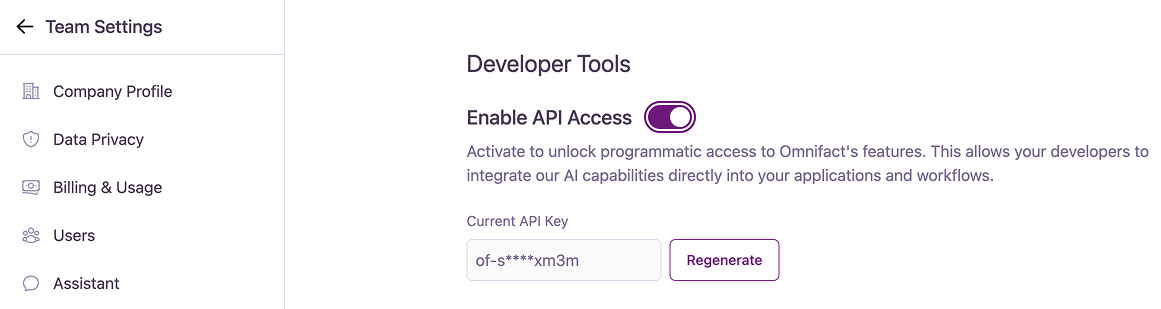
Managing Your API Key
When API access is enabled, the system generates a unique API key for your team.Viewing and Regenerating Your Key
Viewing and Regenerating Your Key
The Current API Key is partially masked for security. If you need to generate a new key for any reason (e.g., if the old one is compromised or lost), click the “Regenerate” button.
Saving Your New API Key
Saving Your New API Key
When you regenerate your key, a dialog will display “Your New API Key”.