

Spaces as APIs
Turn any Space into a powerful API endpoint. Published Spaces allow you to integrate your specialized agents into websites, Slack bots, or internal tools with just a few clicks.This is an advanced feature that is not enabled by default. If you are interested in using Published Spaces, please contact our support team at support@omnifact.ai to have it activated for your organization.
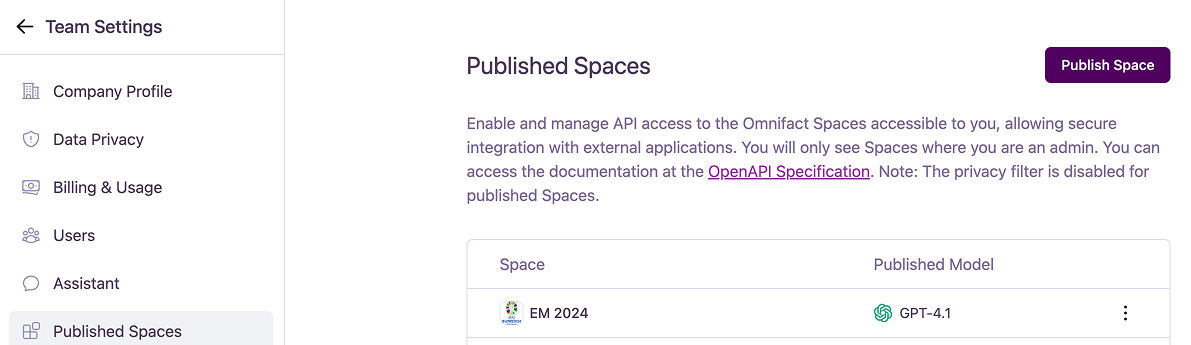
Publishing a New Space
To create a new API endpoint, follow these steps:1
Open the Publish Dialog
Click the “Publish Space” button at the top right of the page.
2
Select a Space and Model
In the “Publish Space” dialog: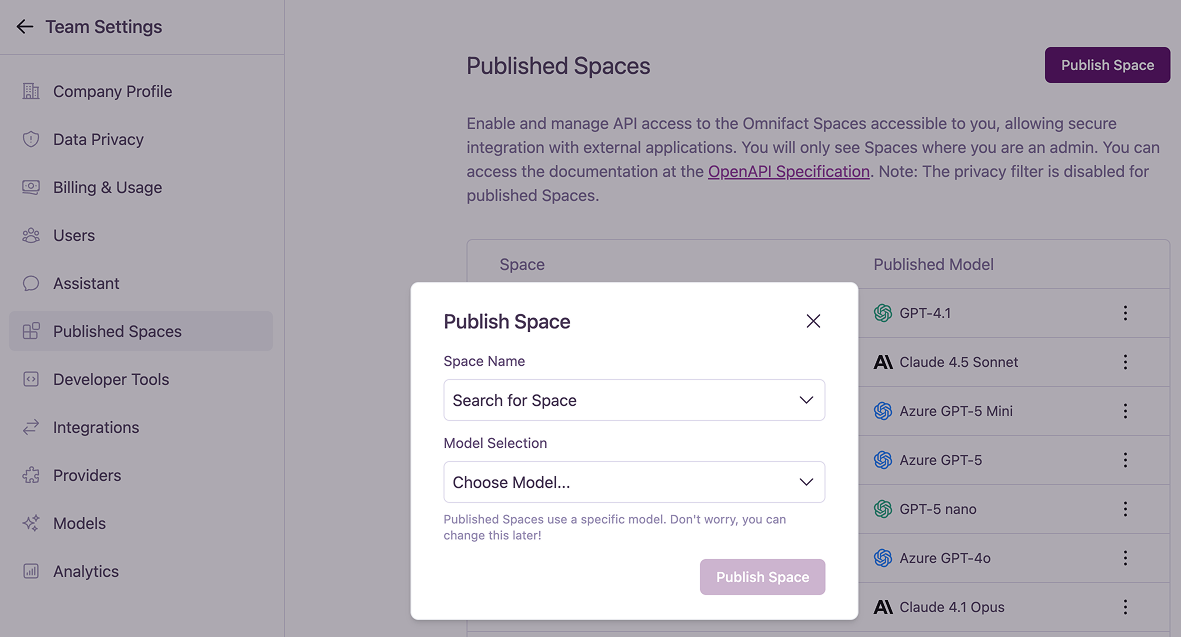
- Choose the Space you want to create an endpoint for from the dropdown menu.
- Select a specific Model that will power this endpoint. You can change the model later if needed.
3
Publish
Click the “Publish Space” button to create the endpoint. Your new Published Space will now appear in the list.
Managing Published Spaces
The main dashboard lists all your currently published Spaces. For each one, you can click the ”…” (more options) menu to manage it.- Edit: Opens a dialog to modify the Published Space. Here you can change the model selection or view and copy the API endpoint URL.
- Copy Endpoint URL: Instantly copies the unique API endpoint to your clipboard.
- Unpublish: Permanently deletes the API endpoint and revokes access. This action cannot be undone.
Model Availability Errors
If the AI model assigned to a Published Space becomes unavailable (for example, if it was disabled in Model Management), a warning icon will appear next to it. To fix this, you must Edit the Published Space and select a new, available model from the dropdown.Security and API Documentation
Inline Sources in the Public API
Developers building custom integrations can also take advantage of inline source citations when this capability is enabled for your team. By setting theomnifact-enable-inline-sources header to true, the Public API will include inline sources in its streaming and non-streaming responses and provide detailed message source events, giving you the same clear attribution in your custom applications.
Inline Sources must be enabled in Team Settings > Groups before the
omnifact-enable-inline-sources header will have any effect.