

How Conversation Works in Omnifact
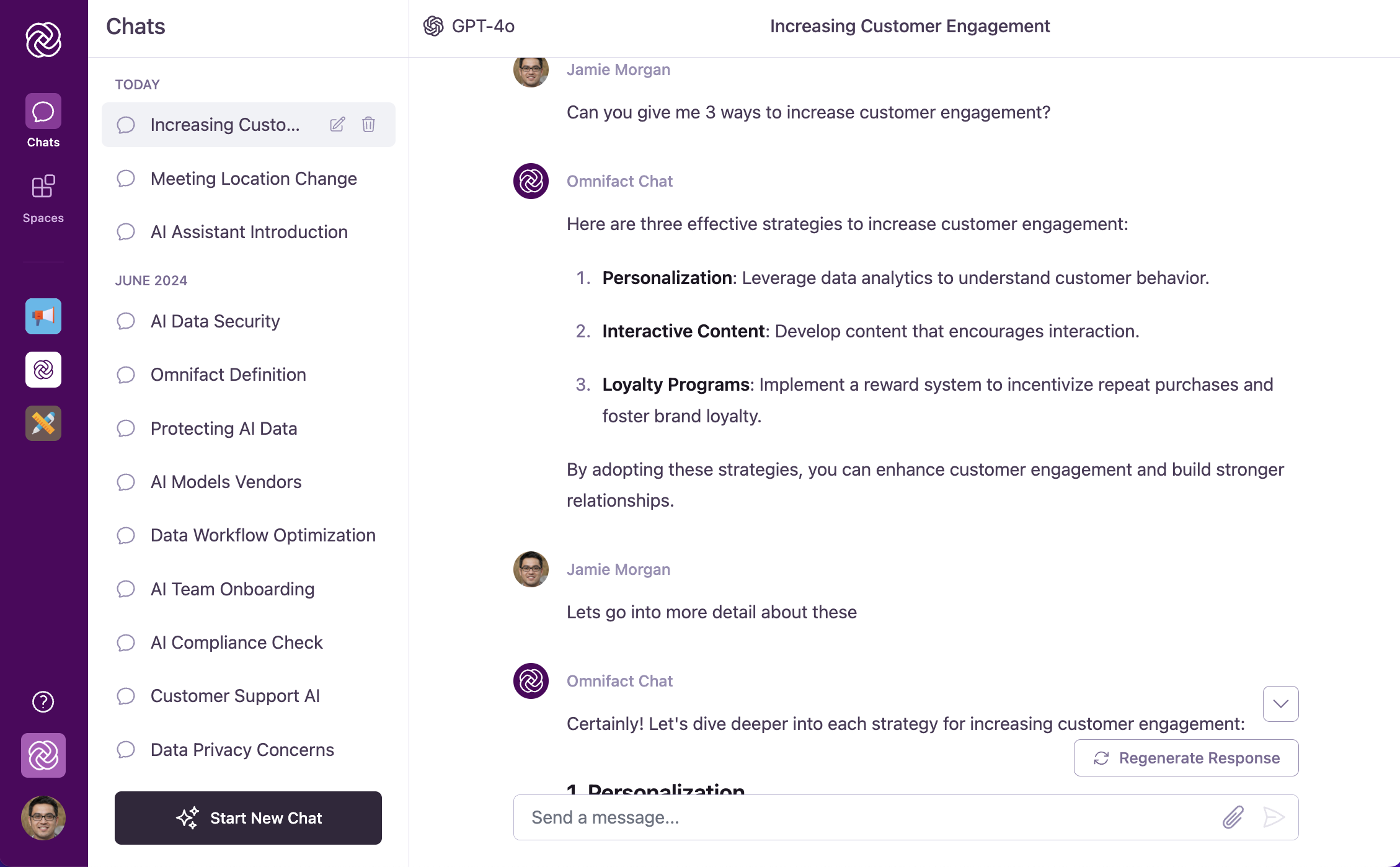
Pro Tip: You don’t need to repeat yourself! Omnifact remembers what you just said.Instead of asking: “Summarize the Q3 Financial Report PDF” and then “What were the risks in the Q3 Financial Report PDF?”You can just say: “What were the risks?”
The Power of Follow-Up Questions
Follow-up questions are key to getting the most out of Omnifact. They allow you to:Dive Deeper
Start with broad questions, then use follow-ups to explore specific aspects
of the topic.
Clarify Information
If the AI’s response isn’t clear or complete, ask follow-up questions to get
the information you need.
Build on Responses
Use the AI’s answers as a foundation for your next questions, creating a
productive chain of inquiry.
Refine Results
Gradually narrow down broad answers to get precisely what you’re looking
for.
Follow-Up Question Examples
Here are examples of effective follow-up questions in different scenarios:Example: Marketing Campaign Planning
Example: Marketing Campaign Planning
Initial Question:
“Can you help me brainstorm ideas for our summer product campaign?”Effective Follow-ups:
- “Which of these ideas would work best for our target demographic of young professionals?”
- “How should we adapt the messaging for social media channels specifically?”
- “Can you suggest a timeline for implementing the third idea you mentioned?”
Example: Document Analysis
Example: Document Analysis
Initial Question:
“Can you summarize the key points from the quarterly report I just attached?”Effective Follow-ups:
- “What are the most significant changes compared to last quarter?”
- “Can you explain more about the customer retention statistics you mentioned?”
- “What recommendations would you make based on these findings?”
Example: Learning a New Concept
Example: Learning a New Concept
Initial Question:
“Can you explain what ‘data normalization’ means in database management?”Effective Follow-ups:
- “What are the benefits of normalizing data?”
- “Can you give me a simple example of how to normalize a database?”
- “What are the potential downsides of over-normalizing?”
Tips for Effective Conversations
Be Specific
The more specific your questions, the more relevant Omnifact’s answers will
be.
One Topic Per Chat
For optimal results, start a new chat when switching to a different topic.
Try Different Approaches
If a response isn’t helpful, ask Omnifact to “explain it differently” or “try
another approach.”
Context Window Warnings
Every AI model has a maximum memory limit, known as its “context window”. This dictates how much of the previous conversation it can remember at any one time. As your conversation grows very long, you may see a warning banner appear indicating that you are approaching the model’s context limit.- When this happens, the AI may begin to “forget” the earliest messages in your chat.
- While the conversation can continue, you might notice a drop in response quality, speed, or context awareness.
- For optimal performance, we recommend starting a new chat when you see this warning, summarizing any necessary context from the previous chat into your first prompt.
Agent Actions Timeline
When you send a request to Omnifact, you can observe the step-by-step process in real time:- Action Indicators: During response generation, an ordered list of actions appears above the streaming text.
- Types of Skills: You might see the AI Thinking, Searching the web, Fetching URL, Retrieving from Uploaded Files, Generating image, Running code, Delivering files, or calling connected MCP tools.
- Transparency: Each action shows relevant context, like the exact search query being run, the code executed, or the number of documents retrieved. This transparency helps you verify that the AI is gathering the correct information before it formulates its final answer.
In-Chat Approvals for State-Changing Actions
When an autonomous agent attempts to run an external tool configured with an Approval policy (such as updating a CRM record or deleting a database entry via MCP Servers):- Interactive Banner: The agent pauses execution and displays a Tool Approval Banner directly above the chat input.
- Inspect Request: You can expand the banner to review the tool name, target integration server, and parameter payload.
- Allow or Deny: Click Allow to approve the action or Deny to reject it. If denied, the agent is informed and adapts its response without modifying any external data.

Connecting Workplace Tools for Chat
When a tool requires you to connect your own account (such as HubSpot, GitLab, or Jira):- Connect to use: Tools become available in chat once you connect your account in Account Settings > Connections.
- Reconnecting tools: If a tool connection expires, the agent will let you know in chat and direct you to your Connections settings to reconnect.
Next Steps
Now that you understand how conversation flow works in Omnifact, you can:- Learn about Attaching Documents to enhance your conversations
- Explore Document Creation to generate spreadsheets, Word memos, presentations, and charts
- Learn how to Select an AI Model to power your conversation
- Manage cloud storage and tool accounts in Connections
- Discover how to Edit Your Messages for better clarity
- Explore Stopping and Regenerating Responses when needed